Most small business websites are missing something important—and the owner usually doesn’t know it. This checklist covers what a genuinely effective small business site needs: not nice-to-haves, but the elements that directly affect whether visitors convert into customers.
Foundation: what every business site must have
A clear statement of what you do and who you serve. Within five seconds of landing on your homepage, a first-time visitor should understand exactly what you offer and whether they’re in the right place. This is not optional. It’s the first test your site faces, and most sites fail it by leading with company history or a generic headline that says nothing specific.
A single, obvious call to action. What do you want a visitor to do? Call, fill out a form, request a quote, book an appointment? Pick one primary action and make it unmistakable. Every page should have a clear path to that action. Sites with five competing CTAs and sites with none both underperform for the same reason: the visitor doesn’t know what to do next.
An SSL certificate (HTTPS). If your site URL still starts with “http” rather than “https,” browsers will show a “Not Secure” warning to visitors. Google also uses HTTPS as a ranking signal. There is no reason in 2026 to run a business website without it—SSL certificates are included with virtually all quality hosting plans.
Mobile responsiveness. More than half of all web traffic in the Phoenix metro is mobile. A site that doesn’t work on a phone is losing the majority of its potential visitors. This is foundational, not advanced. Understanding why a mobile-friendly website matters gets into the ranking implications as well—Google mobile-first indexing means your mobile experience is what gets evaluated.
Content: what visitors actually need
Service pages that explain what you do specifically. Each core service you offer deserves its own page with real detail about what’s included, who it’s for, and why it matters. A single “Services” page with four bullet points is not enough for a business competing in a real market. Service pages rank in search and convince visitors—they do double duty.
An About page that builds trust. People hire people. An About page that has a real name, a genuine story, and some personality does more for trust than any certification listing. It doesn’t need to be long. It needs to feel real.
A Contact page with clear information. Your phone number, an address or service area, and a contact form. Make it easy to find from every page. Make the form short—asking for name, email, and a message is usually enough. Every additional required field reduces submissions.
Photography that represents you accurately. Stock photos that could belong to any business in your category actively reduce trust. Real photos of your team, your work, or your location perform better on every metric. If you work from home or remotely, product and work photography still outperforms generic stock.
Technical: the under-the-hood requirements
Page speed that passes. Run your site through Google PageSpeed Insights. Scores below 70 on mobile indicate real problems that affect rankings and visitor experience. Common culprits: uncompressed images, a bloated page builder, too many plugins loading scripts on every page, and slow hosting. These are fixable, but they need to be prioritized.
Proper heading structure. Your page should have exactly one H1 (the main title), followed by H2 section headings, and H3 subsections where needed. Search engines use this structure to understand what the page is about. Correctly structured pages rank better and are more accessible to screen readers. This is something professional web design handles automatically but DIY builds often get wrong.
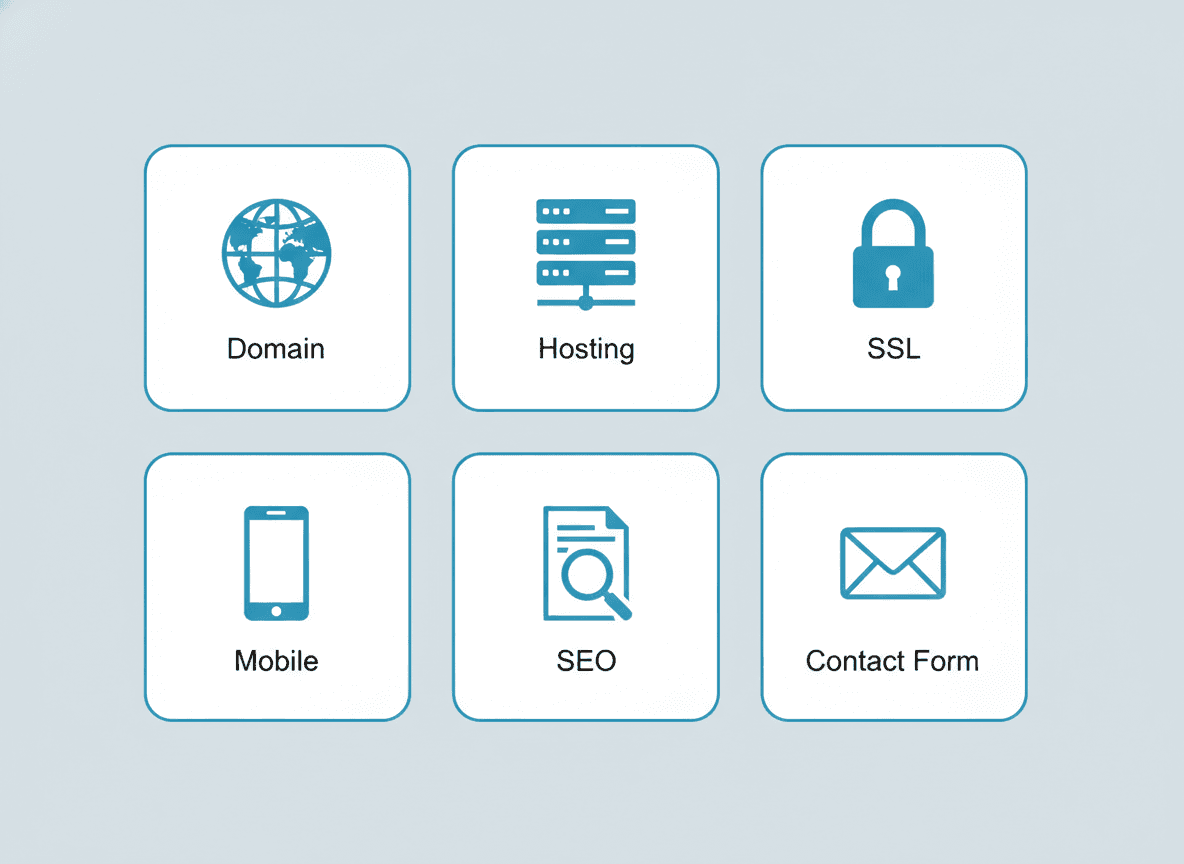
A sitemap.xml and robots.txt file. These technical files help search engines crawl and index your site correctly. WordPress generates them automatically with the right plugins installed. Custom-built sites need them implemented manually. They’re invisible to visitors but important to search engines.
Google Analytics or an equivalent. You cannot improve what you don’t measure. Analytics tells you which pages get traffic, how visitors find you, how long they stay, and where they leave. This data is what drives smart decisions about where to invest next. It takes about ten minutes to set up and provides permanent value.
Trust signals: the proof layer
Testimonials and reviews. Social proof is one of the most powerful conversion levers available to a small business. Real testimonials—especially specific ones that describe a result or experience—do more for conversion than most design decisions. If you have Google reviews, consider displaying them on your site. If you’re asking clients for feedback, ask for specific stories, not general ratings.
Credentials, certifications, and affiliations where relevant. These matter differently by industry. For a law firm, bar admission and practice area credentials are expected. For a contractor, license numbers, bonding, and insurance verification are trust signals that educated buyers look for. Include them because your best prospects check for them.
A privacy policy. Required if you collect any personal data (contact forms, analytics, email sign-ups). Required for GDPR compliance if any European visitors reach your site. Required by many advertising platforms. It’s a one-time setup with permanent compliance value.
Growth readiness
A site that handles the basics is a starting point, not a destination. Growth-ready sites have a blog or resource section that builds organic traffic over time. They have landing pages designed for specific campaigns or services. They have structured contact forms that capture lead quality information. And they have a maintenance plan that keeps them healthy, fast, and secure as time passes—understanding what website maintenance involves is part of planning for this.
If your current site is missing several items on this list, a website redesign built with a complete brief is often more cost-effective than trying to patch things incrementally. A complete audit of what’s missing and a clear plan for addressing it is where we start every project. Reach out for a free quote and we’ll show you exactly where your site stands.
Frequently asked questions
How many pages does a small business website need?
At minimum: a homepage, a services page (or individual pages per service), an about page, and a contact page. For a business actively trying to rank in local search, individual location pages and dedicated service pages are worth adding. There’s no magic number—every page should exist because it serves a real visitor need or search intent, not to hit a page count.
Do I need a blog on my small business website?
A blog is one of the highest-ROI long-term investments a small business can make in its website—but only if you publish consistently and write genuinely useful content. An abandoned blog with three posts from 2019 sends a negative signal. If you can commit to even one quality post per month on topics your customers search for, a blog compounds in value over time in a way paid advertising can’t match.
What is the most important page on a small business website?
The homepage, in most cases—it’s the most-visited page and sets the frame for everything else. But the most important page for conversion is often the service or product page that a visitor lands on from a specific search. Getting both right matters: the homepage builds credibility, and the service pages close the decision.
How do I know if my current website is actually performing?
Check three things: your Google PageSpeed Insights score (aim for 70+ on mobile), your bounce rate in analytics (above 70% usually indicates a problem), and whether you can find your business in the first page of local search results for your primary service in your city. If you’re failing all three, the site is underperforming regardless of how it looks.
Should my small business website accept online payments?
Depends on your business model. If you sell products or offer fixed-price services that lend themselves to upfront payment (consultations, fixed-fee legal services, online courses), adding payment capability increases conversion by removing friction. If your work involves custom quotes or ongoing service relationships where payment terms vary, a contact form leading to a consultation is usually the right first step.